Advertisement

OPINIONS
How to Cash out your NS55 $100 Credits
Cash is King!
Bobby Lee
Edited 05 Aug 2022
Investor at Investor@Singapore
Finally July has come to an end and all eligible NSMen should have received their $100 NS55 Credits via their LifeSG app. If you are one of those people that prefer cash over credits cause cash is king, this guide will show you how you can cash out $100 into your bank account!
Apps Needed -
LifeSG
Youtrip
Revolut or Transferwise (Wise)
LifeSG
Download the LifeSG app via the Google Play or Apple App Store. After that, all you need to do is login with your SingPass credentials.
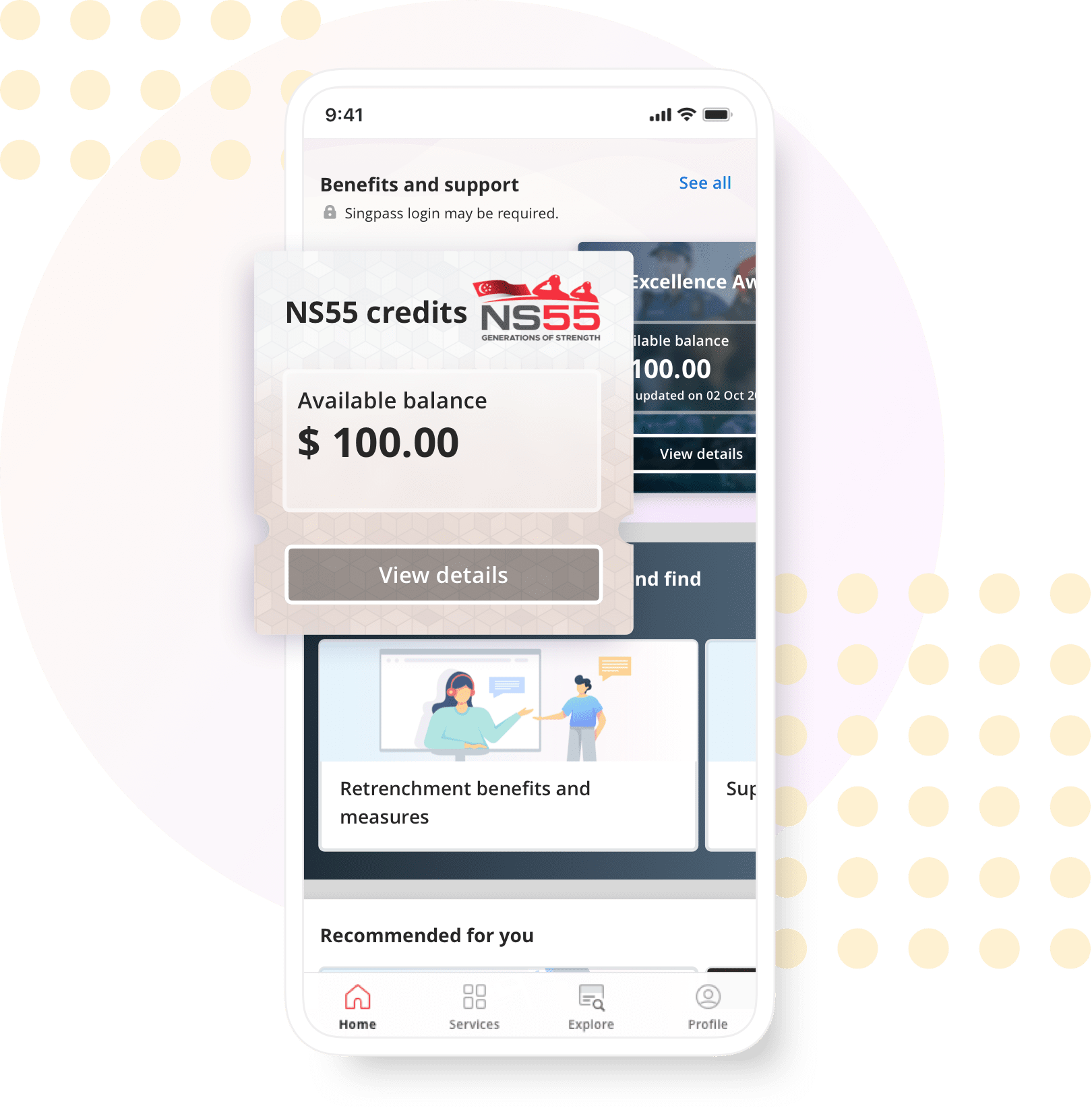
You should then see a dashboard with the NS55 Credits and $100 in your account.
From here on, you can actually spend it at retail outlets or at online stores that support Paynow or NETS.
But, to cash out your $100, follow on below on how to transfer your funds to Youtrip and Revolut!
YouTrip
Download the Youtrip app from the Google Play Store or Apple App Store.
Feel free to use my referral link here and you'll get $5 upon signing up and transferring at least $1 into your account (From your NS55 Credits).
After signing up, you will need to order their Debit Card which is Free of Charge and has no strings attached.
The card should take around a week to reach your address.
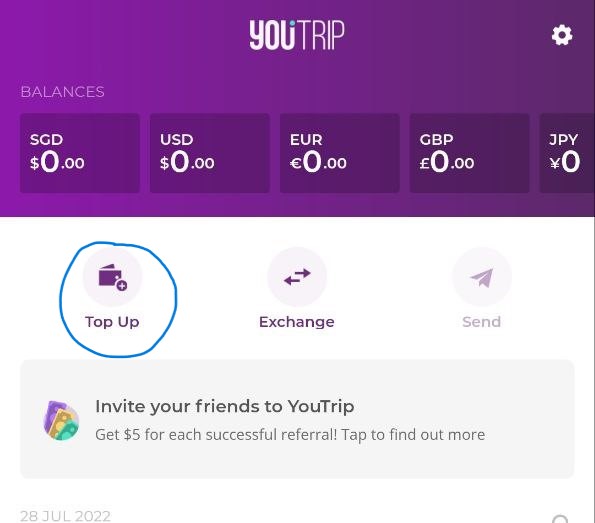
After activating your card with the Youtrip app, on your Home Screen, click Top Up followed by Paynow. You would then need to generate a QR code as shown in the screenshots below.
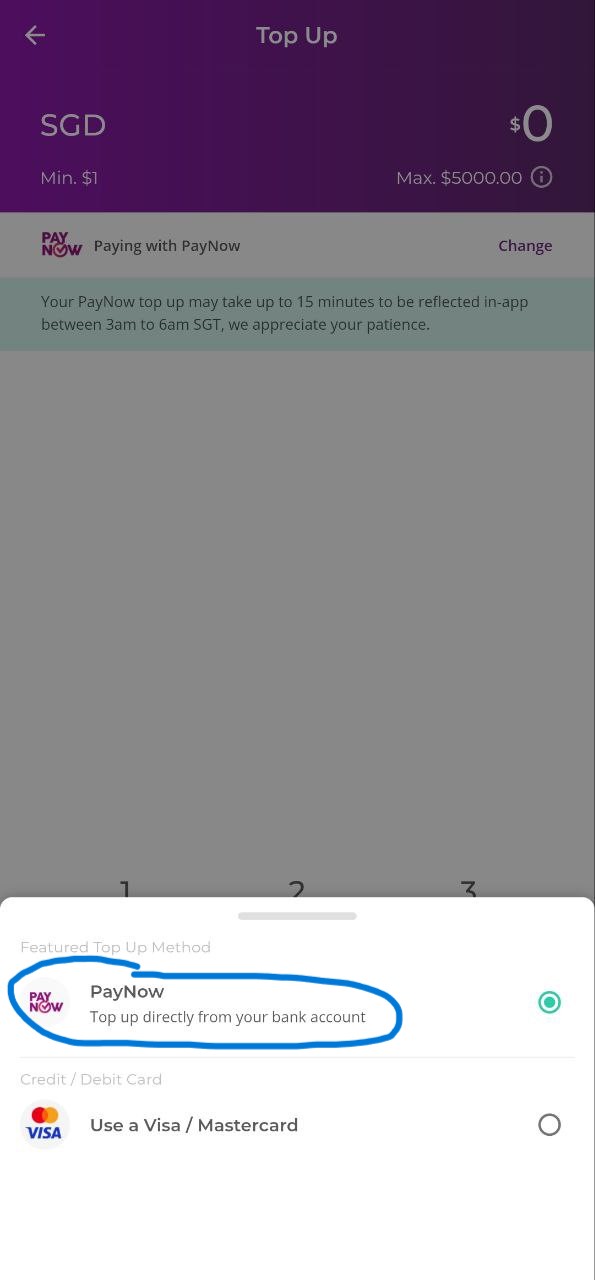
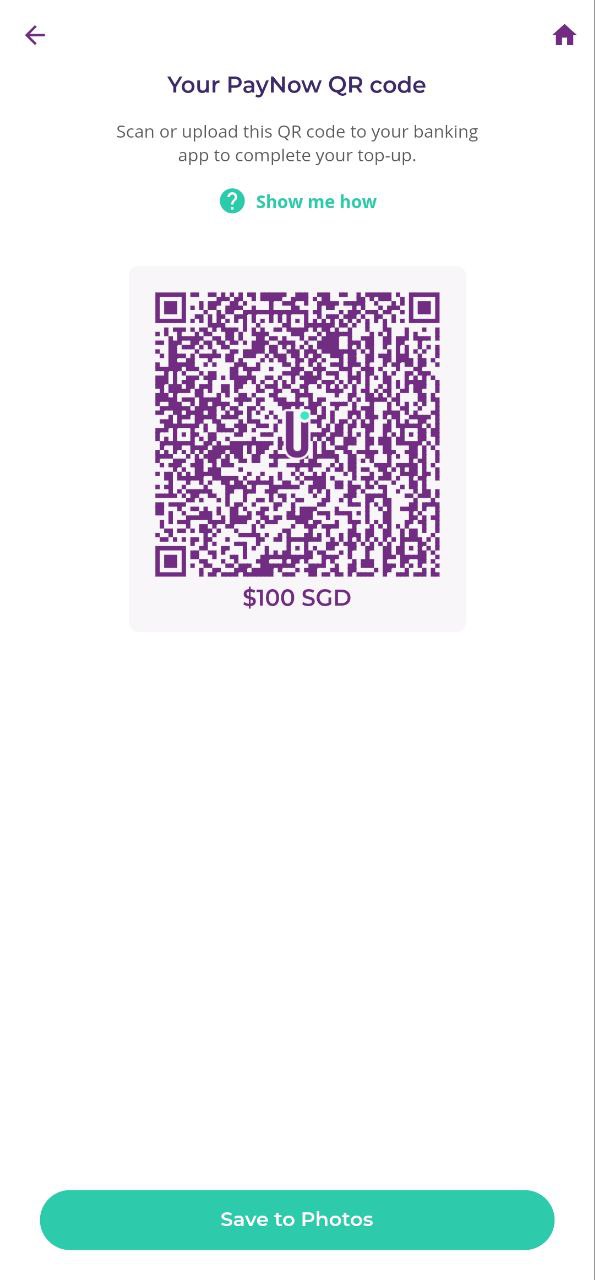
Save your unique QR Code to your Phone Gallery and on the LifeSG app, initiate a transfer to the QR Code saved from Youtrip!
Voila, you should have $100 in your Youtrip account which can be used for Online Shopping!
But to cash out, you will need to open a Revolut account and transfer your $100 over and initiate a transfer to your bank account from Revolut.
Revolut
Download the Revolut app, and the same procedure applies. Open an account and get their Free Debit Card as well.
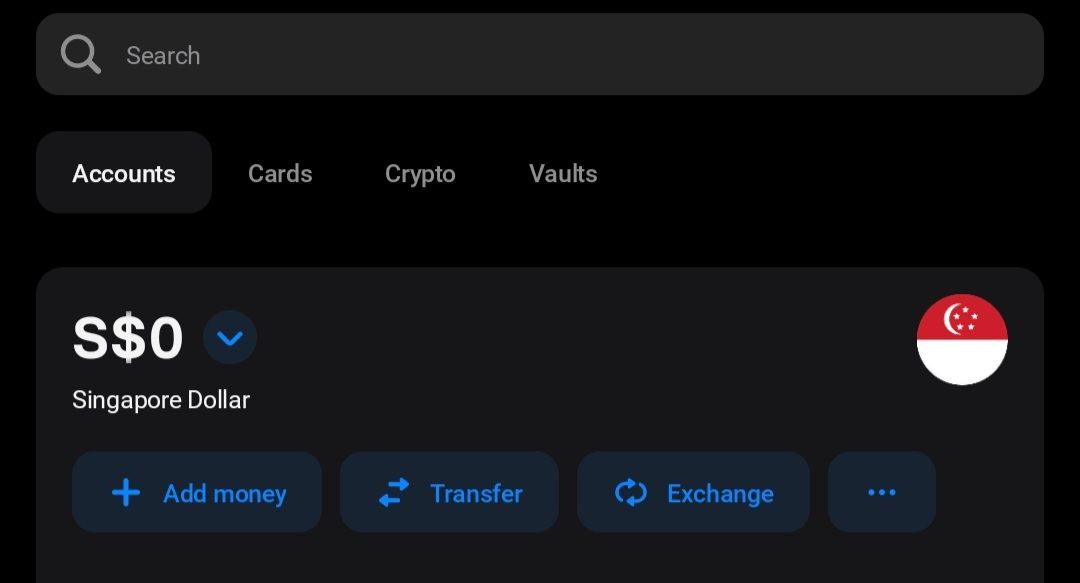
Click the Top Up button and link your Youtrip Debit Card. The $100 would then be transferred over to your Revolut instantly. From there, you can link your bank account and initiate a withdrawal to your OCBC/POSB or any Singapore bank account. And voila, a few simple steps and your NS55 Credits is now in trusty cash!
Feel Free to use my Referral Links for Revolut and Youtrip below and if you have any questions, feel free to drop a comment below!
Revolut Referral Code - https://revolut.com/referral/sienjl60n!AUG1-22-AR-H1
Comments
470
0
ABOUT ME
Bobby Lee
Edited 05 Aug 2022
Investor at Investor@Singapore
Sign up to the best broker IBKR and get $1,000! Use my link below to start investing now! https://ibkr.com/referral/sien455
470
0
Advertisement
No comments yet.
Be the first to share your thoughts!